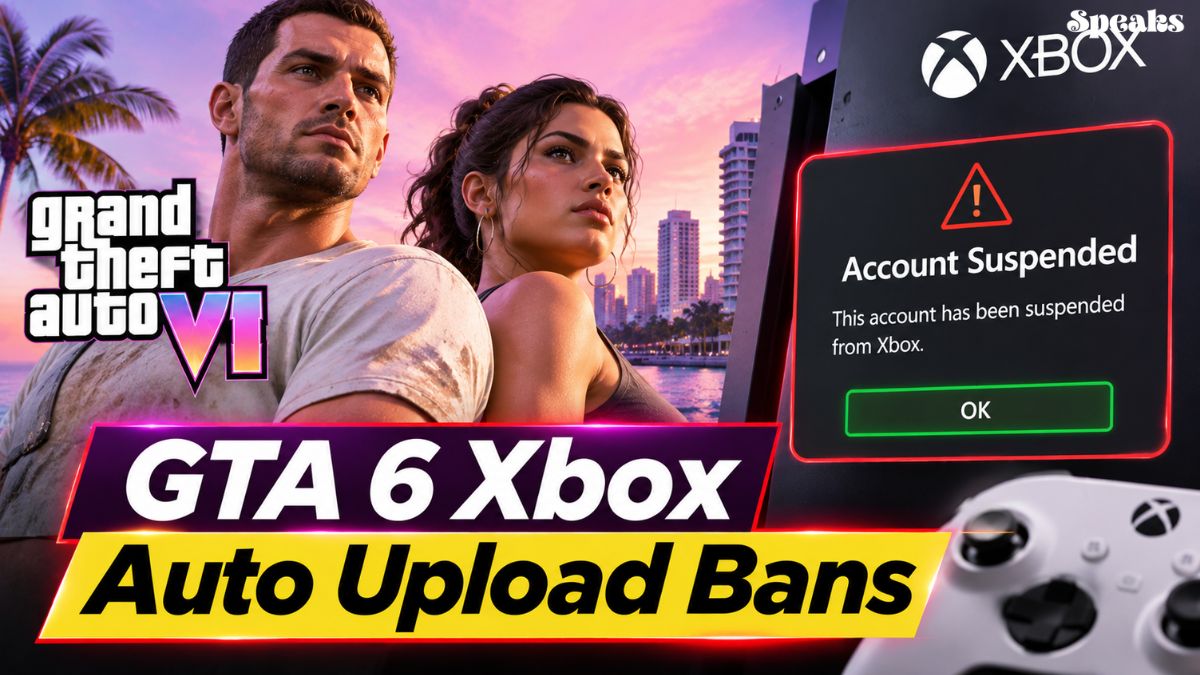
GTA 6 players on Xbox are being warned about a console feature that could put their accounts at risk. Reports suggest that automatically uploaded gameplay screenshots and video clips may trigger Xbox safety enforcement, potentially resulting in temporary suspensions.
The issue has attracted attention following reports from players who claim they received Xbox enforcement notices after capturing ordinary gameplay scenes in Grand Theft Auto 6.
The reported incidents have raised questions about how Microsoft’s content moderation system handles screenshots and recordings from mature-rated games, particularly scenes involving beaches, swimsuits and other potentially sensitive content.
Why GTA 6 Xbox Auto Upload Bans Are Becoming a Concern
Xbox consoles include an automatic game capture upload feature that can send screenshots and video recordings to Xbox network services.
The feature is convenient for players who want to access their captures, share memorable gameplay moments or keep recordings without manually uploading every file.
However, automatically uploaded content can also be reviewed under Microsoft’s online safety and content policies.
According to player reports discussed by the gaming community, some GTA 6 captures featuring beach environments and NPCs wearing swimsuits or bikinis allegedly resulted in Terms of Service violations.
One player reportedly claimed that they received a violation despite capturing what they described as ordinary coastal gameplay without explicit nudity.
The reported penalty was a two-day suspension, although the precise circumstances behind individual enforcement decisions have not been independently established.
What Is Triggering Xbox Suspensions in GTA 6?
The controversy centers on Xbox’s automated content moderation process.
Automatically uploaded game captures can be scanned for material that potentially violates platform guidelines. This includes offensive imagery, hate speech, drug-related content, excessive violence, nudity and sexually explicit material.
GTA 6 features a detailed fictional world called Leonida, including beach locations, nightlife environments and mature themes. Some of these scenes could potentially be flagged by automated moderation systems.
The concern is that an automated review might not always distinguish between ordinary gameplay imagery and content that violates Xbox’s policies.
However, there is currently no confirmed explanation from Microsoft identifying the exact content responsible for the reported GTA 6 suspensions.
How to Turn Off Automatic Uploads on Xbox Series X and Series S
Players concerned about their gameplay captures being automatically uploaded can disable the feature through their Xbox console settings.
The process is straightforward and does not require uninstalling GTA 6 or changing any game settings.
Follow these steps:
- Press the Xbox button on your controller.
- Open Profile & System.
- Select Settings.
- Navigate to Preferences.
- Open Capture & Share.
- Find the automatic upload option.
- Change Automatically Upload to Don’t Upload.
Once disabled, captures will no longer be automatically uploaded through that setting. Players can still use supported manual capture and sharing options.
The setting is particularly relevant to GTA 6 players who frequently record gameplay or use the console’s capture button.
Does Turning Off Xbox Auto Uploads Prevent GTA 6 Bans?
Disabling automatic uploads can reduce the possibility of a gameplay capture being sent to Xbox network services without the player’s direct involvement.
However, it should not be considered a guarantee against account suspensions.
Xbox accounts remain subject to Microsoft’s community standards and enforcement policies. Content shared manually through supported Xbox services may also be reviewed.
Players should also understand that turning off Xbox network capture uploads is different from disabling OneDrive backups or other external storage services.
The reported controversy specifically concerns automatic uploads to Xbox network services, not confirmed enforcement against private OneDrive storage.
GTA 6 Is Not the First Game to Face Xbox Capture Controversies
The issue has also attracted comparisons with previous Xbox moderation controversies involving mature-rated games.
Baldur’s Gate 3 and Cyberpunk 2077 were previously discussed by Xbox players after reports of account suspensions connected to game captures.
The controversy surrounding those titles raised similar questions about automated moderation and how gaming platforms handle screenshots from games designed for adult audiences.
GTA 6 has brought the discussion back into focus because of its mature content and the enormous number of players exploring its open world.
What Xbox Players Should Know About the Reported GTA 6 Bans
For now, players should distinguish between individual reports and an officially announced enforcement policy.
Microsoft has not publicly confirmed that ordinary GTA 6 beach screenshots automatically result in account suspensions, nor has it announced a GTA 6-specific ban policy.
The reported incidents have largely circulated through online gaming discussions, making it difficult to establish how widespread the problem actually is.
Players who receive an enforcement notice should review their Xbox account enforcement history and the specific policy cited in the notice.
With GTA 6 continuing to generate substantial attention across Xbox Series X and Series S, the handling of automatically uploaded captures is likely to remain an important discussion among console owners.